

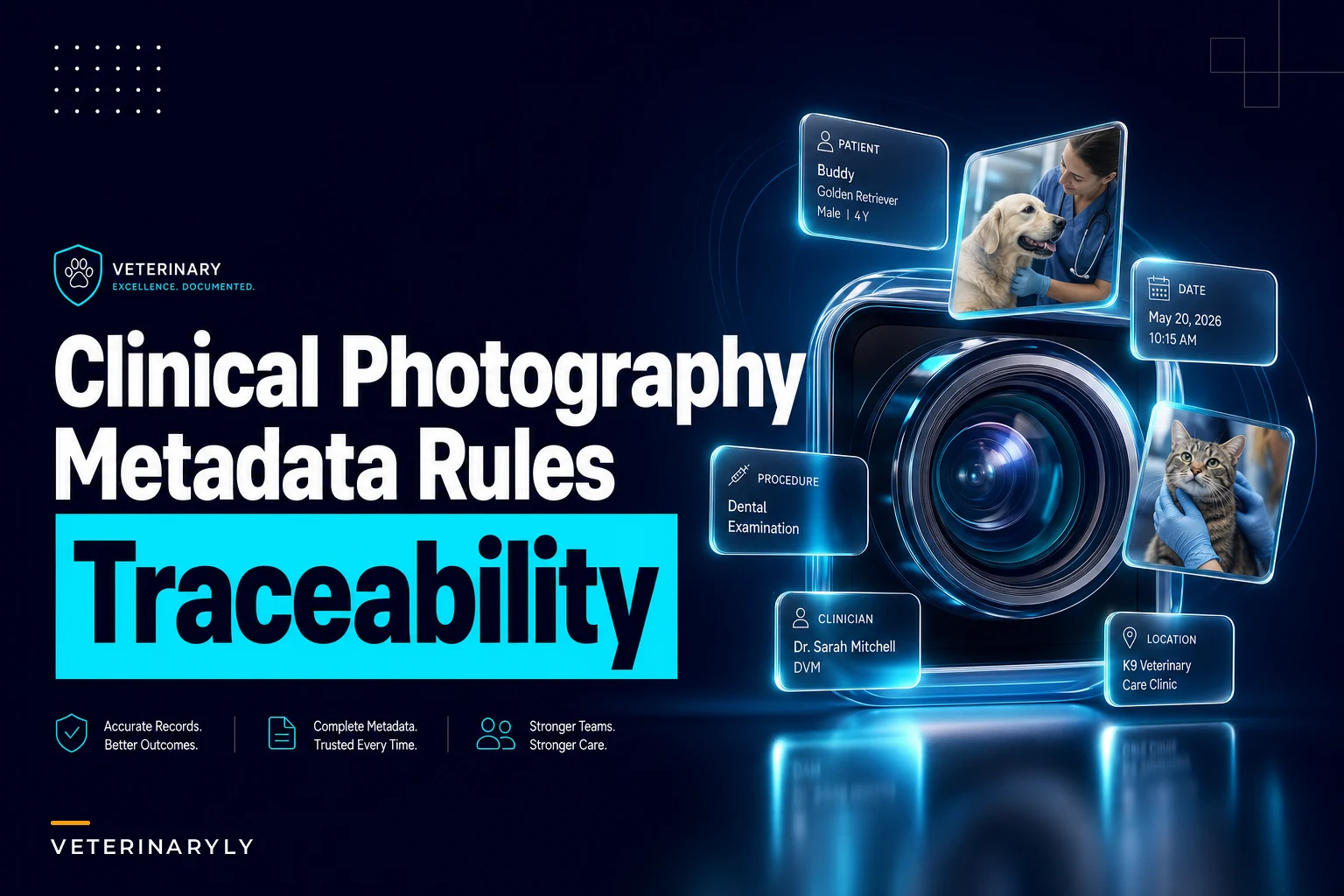

Most clinics have thousands of clinical photos sitting somewhere. On a phone, in a shared drive, buried in a patient's chart under a filename like IMG_4471.jpg. And when a dermatology recheck comes in, or a legal request lands, or a specialist asks for the "before" shot of that mass — nobody can find the right image fast. Sometimes nobody can even prove the image belongs to the right patient.
That's the actual problem with veterinary clinical photography. Not camera quality. The photos get captured with zero structure, so they can't be searched, verified, or trusted later. A blurry wound photo is still useful. A perfectly sharp photo with no metadata, no patient link, and no context is worse than useless — because someone might assume it belongs to the wrong animal.
This post is narrowly about one thing: how to set capture templates, required metadata, naming rules, and chart-linking so every clinical photo becomes searchable evidence instead of digital clutter.
Where the breakdown actually starts: capture, not storage
Everyone assumes the problem is storage. It isn't. The failure happens the second the photo is taken.
A typical scenario: a tech snaps a photo of an ear canal on their personal phone during a busy afternoon. The plan is to "attach it to the chart later." Later never comes cleanly. Maybe it gets texted to the vet. Maybe it sits in the camera roll for three days. By the time someone uploads it, there are four ear photos from three different dogs and nobody remembers which is which. The lesion on the left ear? Right ear? Was that even the same patient?
-
No reliable patient link. If the photo wasn't tied to a patient ID at the moment of capture, you're guessing later.
-
No context about what you're looking at. A photo of a red patch of skin means nothing without knowing the body location, the date, and whether it's a baseline or a recheck.
You can fix storage anytime. You cannot retroactively add trust to a photo that was captured loose. That's why the standard has to live at the capture step.
Capture templates by procedure
The fix that actually holds up is a capture template per procedure type. Instead of "take a photo," staff follow a short, procedure-specific shot list so every case of the same type produces comparable images.
Never miss a pet’s appointment again.
Veterinaryly helps you schedule, confirm, and manage every appointment and patient record effortlessly.
- Centralized appointment & patient management
- Automated client reminders
- Staff scheduling & task tracking
No credit card required
The logic is pretty straightforward. A dermatology case and a post-op incision case need completely different photos. Give staff one generic instruction and they improvise — and improvised photos aren't comparable across visits. Comparable images are the whole point, because that's how you show change over time.
| Procedure type | Required shots | Framing rule | Include reference? |
|---|---|---|---|
| Dermatology lesion | Wide (body region), medium, close-up | Same distance each visit | Ruler/scale card in close-up |
| Post-op incision | Full incision, close-up of ends | Consistent angle, good lighting | Date card in frame |
| Ophthalmic | Both eyes, affected eye close-up | Head straight, no flash glare | N/A |
| Dental (oral) | Full arch, specific tooth | Retracted, labeled quadrant | Mirror if needed |
| Mass/lump | Wide location, close-up with scale | Same patient positioning | Ruler always |
The template quietly does two things. It forces a scale reference into shots where measurement matters, and it enforces consistent framing so a recheck photo can actually be compared to the baseline. Without the scale card, "the mass looks bigger" is an opinion. With it, it's evidence.
Limit templates to three to four required shots so staff actually follow them during busy clinics.
The mistake clinics make is building templates that are too long. Nobody follows a 12-shot protocol during a packed afternoon. Three to four required shots per procedure is the practical ceiling — anything more and staff start skipping steps.
Required metadata: the fields that make a photo searchable
A photo with no metadata is a photo you'll never find when it matters. At minimum, every clinical image should carry these fields, captured at the point of upload:
-
Patient ID (the chart identifier, not the pet's name — names repeat, IDs don't)
-
Date and time of capture
-
Body location / anatomical site
-
Procedure or reason (derm recheck, post-op day 7, mass measurement)
-
Baseline vs. follow-up flag
-
Captured by (staff initials or ID)
-
Visit / encounter ID so it links to that specific appointment
The one people consistently skip is the baseline vs. follow-up flag. Without it, you have ten photos of the same wound and no fast way to know which was day one. That flag is what turns progression queries from a manual scroll through thumbnails into an instant result.
A useful mental model: treat metadata with the same discipline you'd apply to lab samples. The same logic behind standardized lab labeling — capture the identifying data at the source, not after the fact — applies exactly to images. A photo without metadata is a tube without a label.
Naming conventions that don't fall apart
IMG_4471.jpg tells you nothing. A good naming convention makes the file self-describing even after it leaves the system and gets emailed to a specialist.
[PatientID][YYYYMMDD][BodyLocation][Type][Sequence]
P1048220240611LeftEarBaseline01.jpg
P1048220240702LeftEarFollowup01.jpg
-
No spaces, no special characters. They break exports and links. Underscores only.
-
Fixed field order. Once you pick it, never change it. The moment two people use different orders, sorting collapses.
Naming still matters even with a good records system because images leave the system constantly — sent to referral hospitals, attached to insurance claims, pulled for second opinions. The filename is the one piece of metadata that travels with the file everywhere, so it needs to carry real information.
Automated ingestion and chart-linking rules
This is where the manual version breaks down at scale. Even with solid templates and consistent naming, if a human has to manually attach every image to the right chart, some will land in the wrong place or never get attached at all.
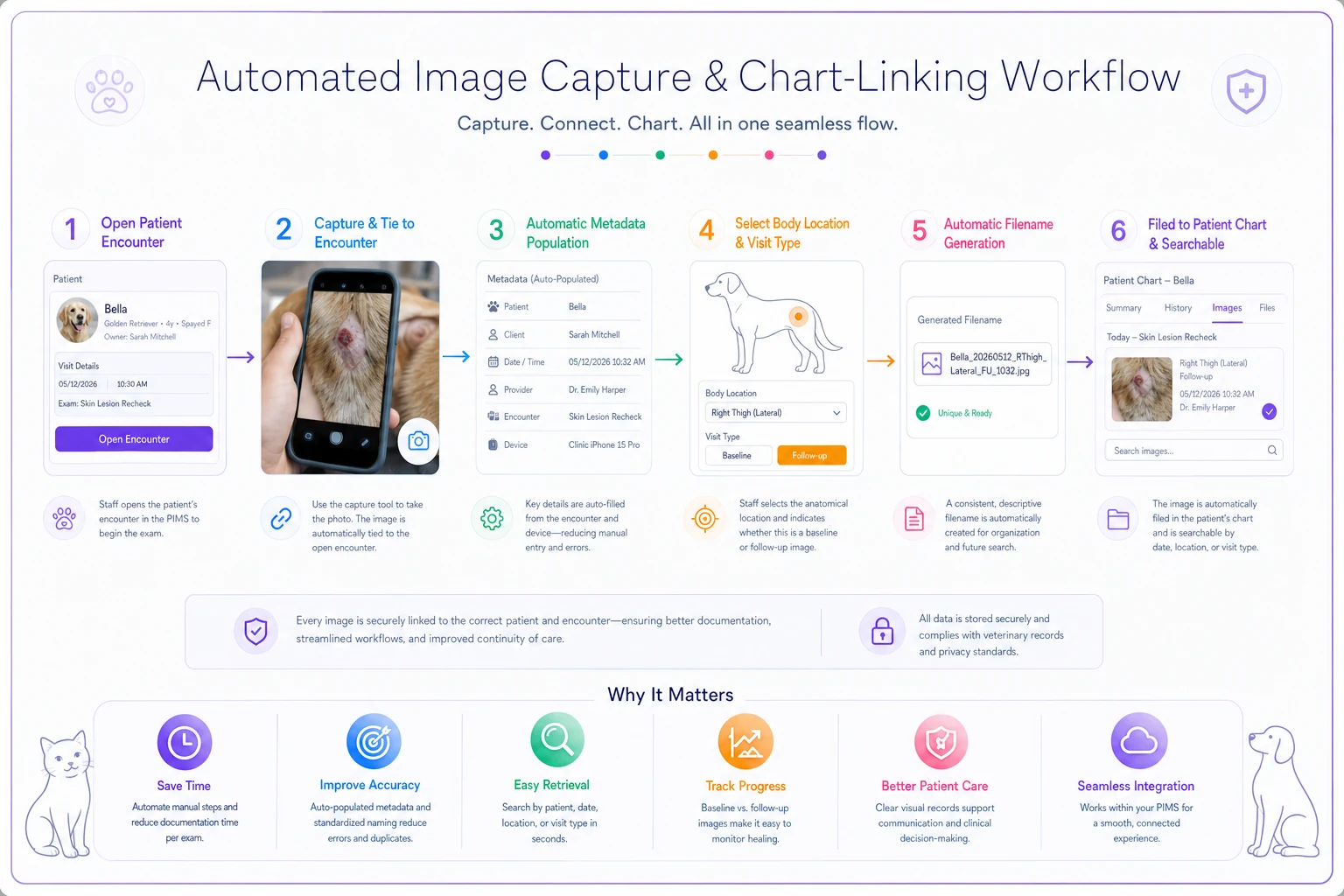
The ingestion rule that works: an image should link to the patient chart at capture, driven by the encounter ID — not by someone dragging a file into a record afterward. When a photo is taken against an open appointment, the patient ID, encounter ID, and timestamp attach automatically. Staff only fill in what the system can't infer — body location and procedure type — usually from a short dropdown.
-
Staff opens the patient's active encounter before capturing.
-
Photo is taken through the clinic's capture tool tied to that encounter.
-
Patient ID, date/time, and captured-by populate automatically.
-
Staff selects body location and baseline/follow-up from a template menu.
-
File is named automatically from the metadata and filed to the chart.
-
The image is now searchable by patient, site, date, and procedure.
The chart-linking rule that prevents mismatches: no orphan images allowed. Any photo that arrives without a patient link gets held in a review queue until someone resolves it — it never silently drops into a folder. This is the same principle behind avoiding imaging mismatches and lost studies on the DICOM side: the system should refuse to accept an unlinked study rather than let it float.
If you want the broader picture on how these records fit into retention, access, and audit-readiness, the data governance lifecycle for veterinary records covers where photos sit inside the full record lifecycle.
Audit checks for searchable evidence
The point of all this is that when someone asks "show me every progression photo for this patient's mass," you can produce it in seconds and prove it's legitimate. That requires audit checks confirming the standard is actually being followed — not just written down in a policy doc somewhere.
-
Patient link check — Does every image trace to exactly one patient ID? Any orphans?
-
Metadata completeness — Are all required fields populated, or are body location and baseline flags being skipped?
-
Naming compliance — Do filenames match the convention, or are raw camera names slipping through?
-
Duplicate/mismatch scan — Any images with timestamps that don't match the encounter date?
-
Searchability test — Pick a random patient. Can you pull their full photo timeline by site in under a minute?
-
Capture-to-file lag — How long between photo taken and photo filed? Long lags mean the "attach later" habit is creeping back in.
The searchability test is the one that matters most, and it's the one clinics skip. Metadata looking complete on paper doesn't mean much. If a staff member can't retrieve the right images fast during a live appointment, the system has failed at its only job.
A short real scenario
A three-vet small-animal practice running heavy dermatology and post-op caseloads had photos scattered across two phones and a shared drive. When derm rechecks came in, techs spent several minutes hunting for baseline images, and in a handful of cases they simply couldn't find them — so they re-photographed with no comparison point.
They put in a basic standard: capture templates for their four most common photo situations, seven required metadata fields, a fixed naming convention, and encounter-based linking so photos attached at capture. Nothing elaborate.
Within about two months, retrieval time on recheck photos dropped from several minutes to under thirty seconds, and the "can't find the baseline" situation basically stopped. Orphan images — the ones nobody could tie to a patient — went from a steady trickle to near zero. No dramatic revenue story here. Fewer redone photos, faster appointments, and a record set they could actually defend if a claim or complaint came in.
When this level of structure is worth it — and when it isn't
If your clinic takes clinical photos regularly — derm, post-op tracking, mass monitoring, ophtho — this pays for itself quickly, mostly in retrieval time and defensibility. The more you rely on progression comparisons, the more the standard matters.
Where it's overkill: if you photograph maybe a handful of cases a month and they're one-off documentation shots with no follow-up comparison, a full templated system is more overhead than value. In that case, enforce the two non-negotiables — patient link at capture and a searchable filename — and skip the elaborate templates until volume justifies them.
Clinics that should not attempt a heavy rollout all at once are the ones with no consistent capture habit yet. Start with one procedure type — usually post-op incisions or derm — get that fully compliant, then expand. Trying to standardize every photo situation in one go usually collapses under its own weight, and staff quietly go back to the camera roll.
The core idea
Clinical photos only become evidence when the structure exists before the shutter clicks. Templates decide what gets captured, metadata makes it searchable, naming makes it portable, chart-linking makes it trustworthy, and audit checks keep the whole thing honest.
Get those five pieces working together and your image library stops being a graveyard of orphaned JPGs and starts being something you can actually use — in a recheck, in a referral, or in front of a review board.
Clinical photos only become evidence when the structure exists before the shutter clicks. Templates decide what gets captured, metadata makes it searchable, naming makes it portable, chart-linking makes it trustworthy, and audit checks keep the whole thing honest. Get those five pieces working together and your image library stops being a graveyard of orphaned JPGs and starts being something you can actually use — in a recheck, in a referral, or in front of a review board.
Ready to elevate your clinic’s efficiency?
Join 500+ veterinary clinics using Veterinaryly to save time, reduce administrative overhead, and improve patient care.